Top Lords VS Tracking Guide
Record daily VS points and Weekly Rankings totals, choose your targets and reset hour, and read averages without filling gaps with zero.
On this page
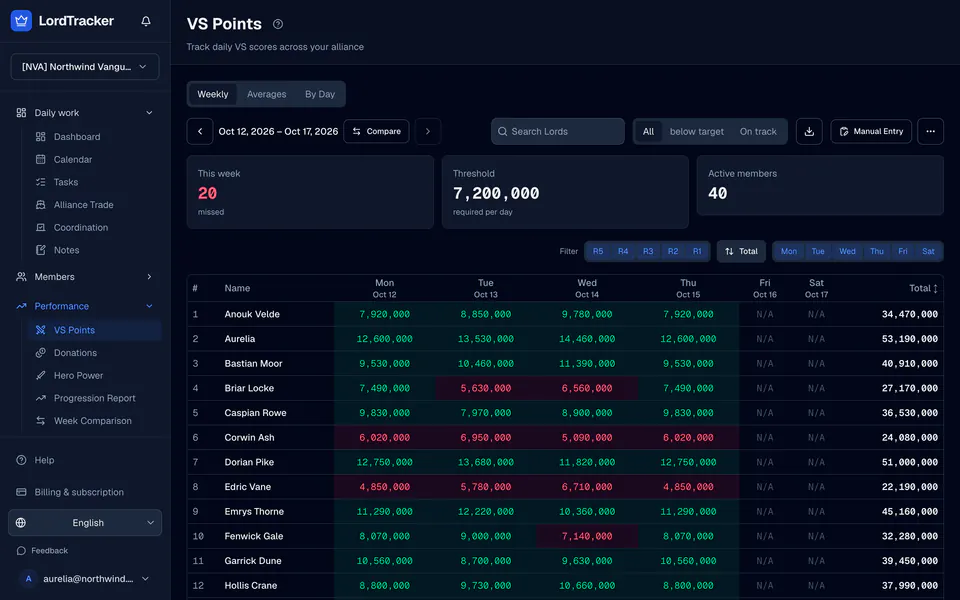
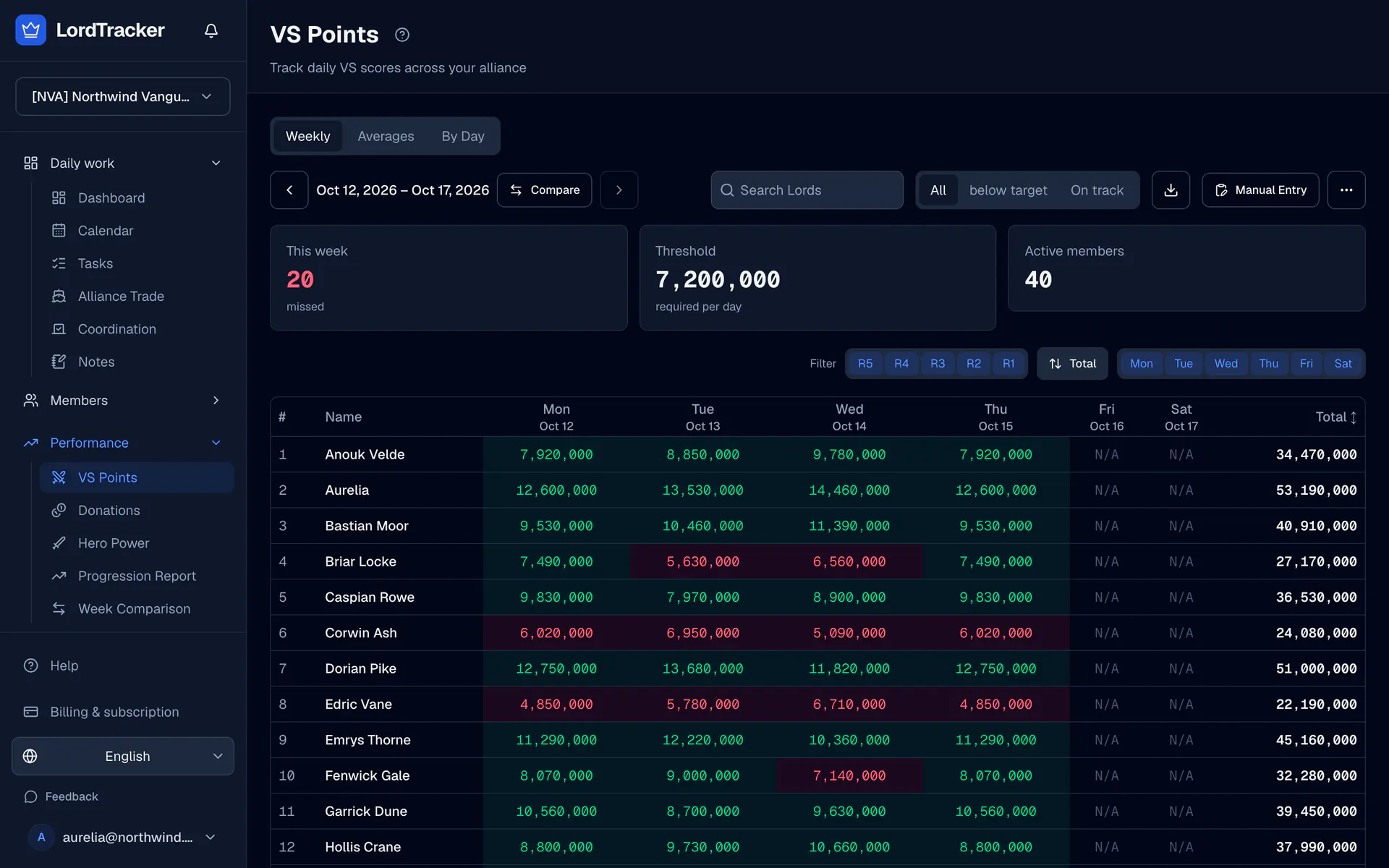
Top Lords daily VS scores and the weekly VS total are different records. Capture the daily screen for a daily score and the Weekly Rankings tab for a weekly total.
1. Choose the recorded week
Open VS and use the week navigator. Check VS settings for days, reset hour, optional labels and the default daily target. Defaults use 00:00 server time, treated as UTC; choose settings that match your records.
Open Week details for opponent, outcome, Normal / Push / Save mode and day target overrides. A saved week keeps its original period settings. Save mode has no inherited requirement, though you can set explicit day targets.
2. Enter or import daily scores
- Choose the VS day you are recording.
- Use Manual entry, Import CSV or the alliance Import page for screenshots.
- Check Lord matches and the recorded week before applying the scores.
A blank manual field leaves the existing record unchanged. Entering 0 records a real zero. Keep an unread or missing result as —.
3. Record the weekly total separately
Choose Weekly total and enter the value from Weekly Rankings, or import that screen type. The weekly column remains — until its own total is recorded. Daily subtotals and weekly totals are never added together.
Zero-fill is an explicit correction tool for selected missing daily cells. Use it only when you know those Lords scored zero; it does not populate weekly totals.
4. Read targets and trends
Open Averages for averages over recorded periods. Open Day trends to compare the same configured day across weeks and see target hit rates. Missing periods do not enter the average; an entered zero does.
Grades use the saved week rules and performance policy. Open periods stay in progress and incomplete evidence stays ungraded. Follow performance targets for the interpretation.
5. Share the weekly review
Use Compare → Weeks → Weekly VS for exact weekly totals. Overview and Performance offer Share summary for a weekly image; check its selected week before sharing it with your team. See the VS tracker for the feature overview.
Top Lords VS Tracker
Daily VS scores, separate weekly totals, targets and day trends.